On the Firefox browser, it is quite easy to make a Default Search Engine that calls Google search and removes all the Google AI slop. Here are the easy steps to do so on a computer (for a phone, see below):
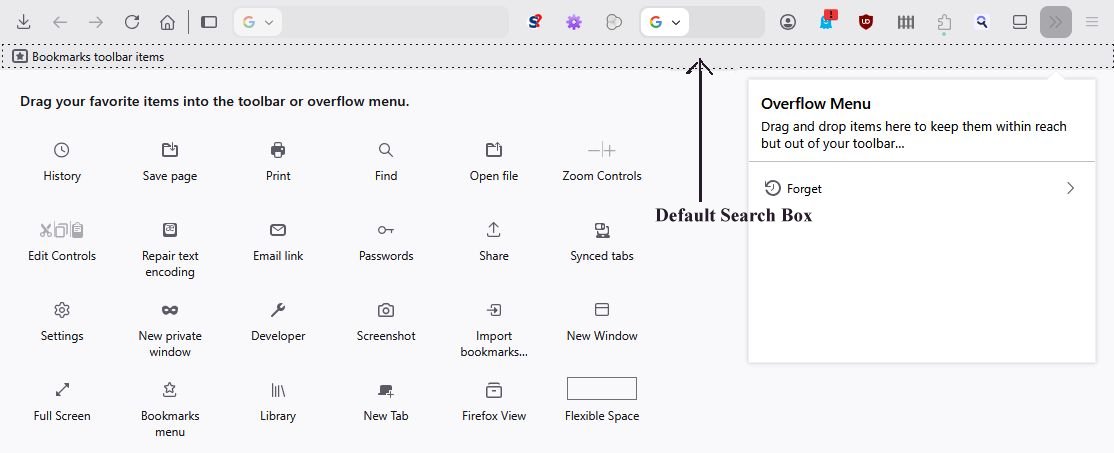
Add the Default Search Box to the Toolbar if it is not already present by right clicking on a blank section of the Toolbar and then dragging the Default Search Box to the Toolbar. You should wind up with something that looks something like this:
(this step may be optional - I didn't try this without the Toolbar Default Search Box being installed on the Toolbar.)
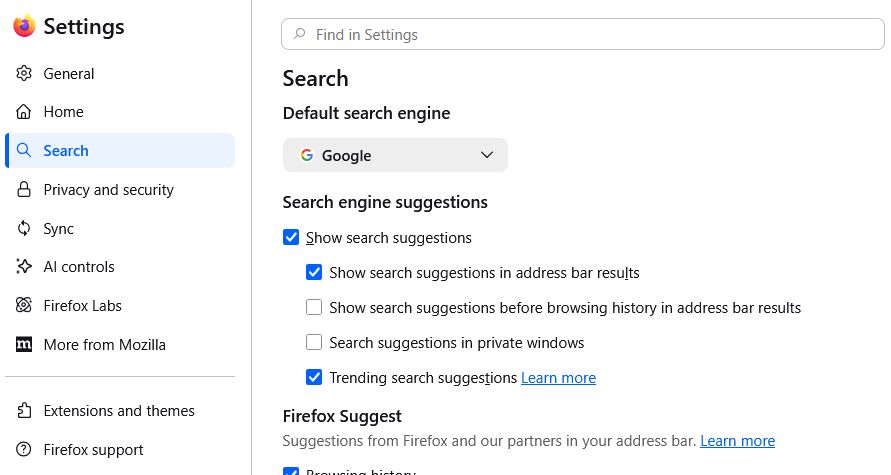
Bring up the Firefox Setting page and click Search in the left column:
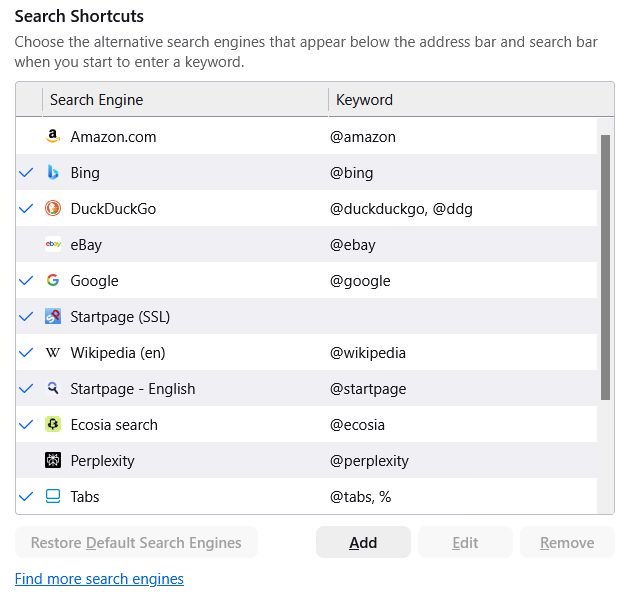
Scroll down to Search Shortcuts and click the Add button:
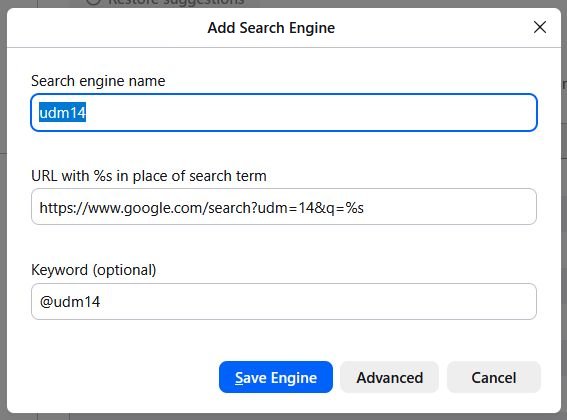
In the Add Search Box, add the following:
Search engine name: udm14 (or your name for this new search engine)
URL: https://www.google.com/search?udm=14&q=%s
Keyword: @udm14 (or whatever)
Click Save Engine, then scroll back to the top of the Search Settings.
Use the Default search engine dropdown box the select your new search engine:
Google Without AI should now work in both the URL box and the Toolbar Search Box. The addition of ?udm=14 to the Google search URL is what does the trick.
Phone: The instructions above will also work for Firefox on a phone, tho of course the screens will look different, but they are close enough so you can easily figure out what to do. The only real difference is to leave the Add Search Engine > Keyword (optional) field blank.
I did not try adding anything like this to Chrome or any other browser.
 (this step may be optional - I didn't try this without the Toolbar Default Search Box being installed on the Toolbar.)